Course Overview
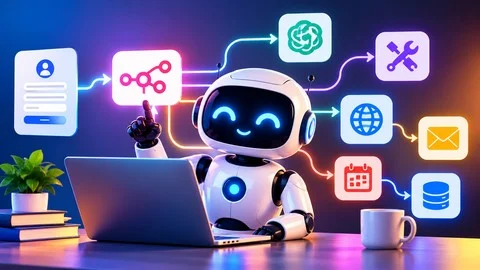
This course introduces AI agents and teaches how to build AI-powered workflows using n8n, a no-code automation tool. It covers fundamental concepts such as LLMs, tools, memory, guardrails, human approval, and tokens with simple explanations suitable for beginners. The course includes four real-world projects to demonstrate practical AI automation applications.
Key Takeaways
- Understand what AI agents are and how they function.
- Build AI agents in n8n and connect them to AI models for automated task execution.
- Configure AI agent components including tools, memory, system messages, guardrails, and human approval.
- Develop and deploy four practical AI automation projects using n8n.
- Learn to test, troubleshoot, and improve AI workflows.
Prerequisites
- No prior experience with AI agents or n8n is required.
- Basic computer skills and familiarity with web browsers.
- Interest in AI, automation, and building AI-powered workflows.
- No programming or coding knowledge needed.
Target Learners
- Beginners interested in understanding and building AI agents with n8n.
- Students and professionals seeking practical AI automation skills.
- IT professionals and business owners aiming to automate repetitive tasks and enhance productivity.
- Anyone wanting to build real-world AI projects without prior coding or workflow automation experience.
Before You Begin: How to Follow This Course
1:43
AI vs Generative AI vs Agentic AI — Understanding the Key Difference
9:04
What Is an AI Agent?
1:48
Understanding the 5 Components of an AI Agent
4:55
What Is Automation? Understanding the Basics
3:51
What Is n8n? History, Name & Key Benefits
6:18
Getting Started with n8n: Create Your Account
3:58
Getting Familiar with the n8n Interface
2:56
Understanding n8n Nodes and Their 8 Types
7:50
What is JSON
3:34
Building an AI Agent from Scratch in n8n
3:31
Configuring the LLM Chat Model for AI Agent Responses
8:22
Adding Memory to Your AI Agent: Remembering Past Conversations
4:07
Best Practice: Test Each Node as You Build Your Workflow
1:27
Testing Calculator Tool
1:57
System Message
6:51
Understanding Tokens: How AI Models Process Text
6:00
Build Your First AI Email Assistant in n8n
10:24
How to Publish Your Workflow to Production
2:36
Project Overview: Build a Customer Feedback Email Automation
0:51
Configure the Form Trigger to Capture Customer Feedback
4:30
Configure Gmail to Send an Automatic Customer Acknowledgment
7:10
Configure Gmail to Send Customer Feedback to the Internal Team
4:48
Test the Complete Customer Feedback Automation
6:27
Project Overview: Capture and Store Customer Data with n8n
1:16
Configuring the Form Trigger to Capture Customer Data
5:31
Storing Form Submissions in Google Sheets
5:44
Sending an Automatic Customer Acknowledgment with Gmail
3:33
Reviewing the Final Workflow Output
3:21
Deploying the Workflow to Production
3:05
Project Overview: Automate Document Delivery with n8n
1:03
Creating a Project in n8n console & Configuring the Form Trigger
6:22
Connecting Google Drive to Retrieve Customer Documents
2:37
Sending Documents to Customers via Gmail
5:08
Testing the Complete Workflow & Deploying the Workflow to Production
5:38
Human-in-the-Loop: Deep Dive into Human Approval in AI Workflows
10:39
Guardrails Deep Dive: Protecting AI Agents in n8n Environments
7:18
System Message Guardrails: Controlling AI Agent Behavior
3:57
Managing Credentials in n8n: A Practical Deep Dive
2:36
Understanding n8n Executions: Runs, Data & Errors
2:53
n8n JSON Workflows: Download, Import & Backup
2:17
n8n Templates Deep Dive: Discovering & Using Prebuilt Workflows
3:31
n8n Assistant Introduction: Practical Use Cases with an AI-Powered Workflow
9:13
n8n Assistant in Action: Troubleshooting Real-Time Workflow Issue
4:38
Access Files
No pi required.
Free
Course files
1 file package
-
Full Pack
Discussions are closed
Comments are currently disabled for this course.