Course Overview
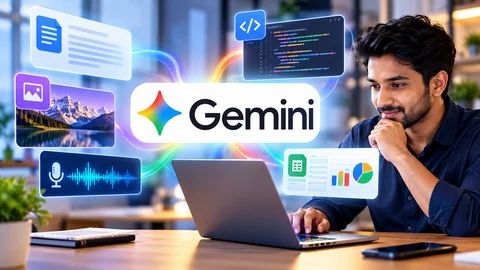
Unlock the power of Google Gemini and learn how to use AI effectively for work, learning, creativity, and everyday tasks. This practical course covers Google Gemini’s capabilities including prompting, AI image and video generation, music creation, Canvas workspace, Guided Learning, Notebooks, and personalized AI assistants called Gems. It is designed for users with no advanced technical knowledge and focuses on practical applications rather than theory.
Key Takeaways
- Understand Google Gemini and Generative AI and their practical uses.
- Write clear and effective prompts for accurate AI responses.
- Analyze and work with files and documents using Gemini.
- Create and improve AI-generated images, videos, and music.
- Use Gemini Canvas for content creation and refinement.
- Engage in Guided Learning with an interactive AI tutor.
- Organize research and projects with Gemini Notebooks.
- Create personalized AI assistants (Gems) for specific tasks.
- Apply AI responsibly with awareness of limitations, hallucinations, privacy, and security.
Prerequisites
- No prior experience with Google Gemini or Generative AI is required.
- Basic computer and internet skills are sufficient.
- Access to a computer, laptop, or compatible mobile device with internet connection.
- A Google account is recommended to access Google Gemini features.
- No programming or coding knowledge needed.
- Basic familiarity with web browsers and digital tools is helpful but not required.
- A willingness to learn and experiment with AI tools.
Target Learners
- Beginners interested in learning Google Gemini and Generative AI applications.
- Professionals and employees aiming to improve productivity with AI.
- Students and educators using AI for learning, research, and content creation.
- Content creators and digital creators seeking AI tools for writing, image, and video generation.
- Business owners, entrepreneurs, and freelancers exploring AI for business tasks.
- Researchers and knowledge workers organizing and analyzing information with AI.
- Anyone interested in hands-on experience with Gemini’s features without programming skills.
Welcome to the Course 1:36
What Is Artificial Intelligence 2:09
Understanding AI Limitations 1:53
AI Safety and Privacy 1:50
AI Hallucinations 1:41
AI in the Workplace 1:49
What Is a Prompt? 2:04
Google Gemini Interface 7:09
Creating Image Using Google Gemini 12:50
Creating Videos Using Google Gemini 10:47
Creating Music Using Google Gemini 3:44
Working with Canvas 8:51
Guided Learning Using Google Gemini 7:57
Working with Gemini Notebooks 9:19
Gems in Google Gemini – Create Your Own Personalized AI assistant 7:51
Course Completion 0:55
Access Files No pi required.
Free Course files 1 file package
- Full Pack
Discussions are closed
Comments are currently disabled for this course.


![[NEW] AI Foundations for Technical Professionals](https://coursepi.com/wp-content/uploads/2026/10/new-ai-foundations-for-technical-professionals-300x169.webp)